
BlogGuide
Vertical Video Aspect Ratio Guide: 9:16 Crops That Still Make Sense
Bad crops ruin good moments. Learn how to move from landscape sources to vertical frames without cutting off the subject.
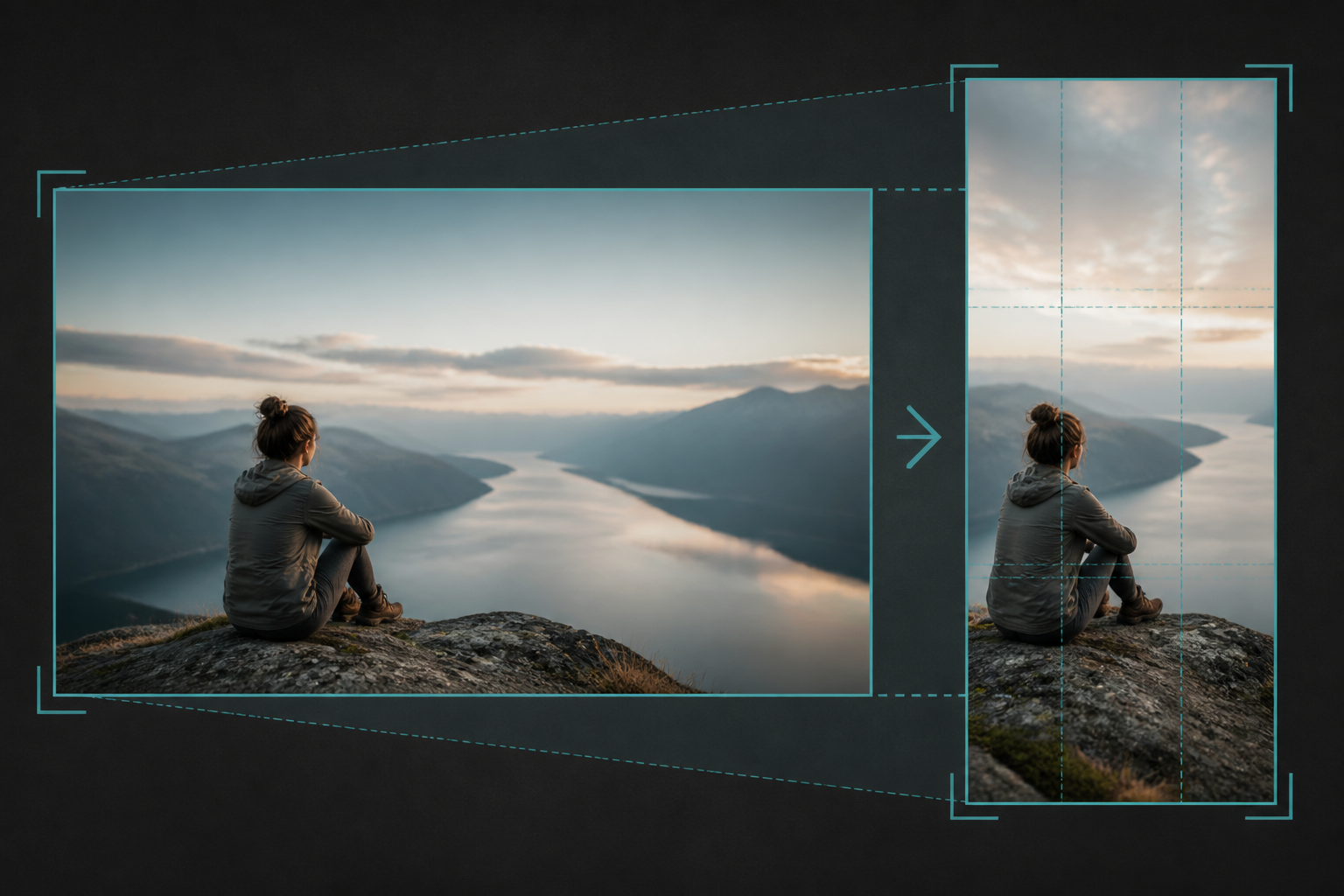
16:9 thinking vs 9:16 thinking
andscape videos often keep the subject mid-frame with side context. Vertical feeds need a decisive subject: face, product, or action. Pick one focus per clip. Trying to show everything usually shows nothing clearly on a phone.
ShortMatic Ai can reframe toward tracked subjects during Shorts generation; you should still preview the crop on a phone before publishing.
Crop vs blur padding
Crop when the subject fits. Blur or padded sides can help when critical UI or two speakers must remain visible—but overused blur looks unfinished. Prefer a purposeful crop for talking-head and demo clips.
Safe zones and text
Keep captions away from bottom and right overlays. Leave breathing room around faces. For caption placement details, see how to add captions to Shorts.
Why 9:16 is not the only decision
Most Shorts, Reels, and TikTok uploads expect a 9:16 frame, but the hard part is what stays inside that frame. A talking-head clip needs headroom and eye-line; a screen recording needs the actionable UI region large enough to read; a product demo needs the object centered without cutting off hands. Lock the aspect ratio early so you do not discover a bad crop after captions are already placed.
When you reframe a landscape master, decide whether the subject is a person, a slide, or a UI. ShortMatic Ai helps you review candidates in a vertical preview before export—use that pass to reject windows where the crop hides the point of the moment. If two subjects matter, consider a brief dual-layout or a tighter edit rather than a muddy wide shot squeezed into 9:16.
Safe margins, captions, and platform chrome
Platform UI (username, buttons, captions) eats the edges of the screen. Keep important faces and text inside a safer central band. Place burned-in captions where they do not collide with native caption overlays if you also enable platform captions. Test one export on a real phone before you batch the rest of the week.
Resolution still matters: export at least 1080×1920 when your source allows it, then let the platform compress. Soft or noisy sources will look worse after social compression, so start from the cleanest master you own. For the full clip pipeline, see how it works. Plan minutes and clip limits are listed on pricing.
Common questions
What resolution should I export for Shorts?
1080×1920 (9:16) is the usual master for Shorts, TikTok, and Reels.
Can I post 16:9 as a Short?
Platforms may letterbox it, which often looks weak. Vertical masters perform more cleanly in feeds.
Should I film vertical from the start?
If Shorts are primary, yes. If long-form is primary, film landscape well and crop carefully for clips.
Is 9:16 required for every short-form platform?
It is the default expectation for YouTube Shorts, TikTok, and Instagram Reels. Other ratios may upload, but they often letterbox or get cropped unpredictably in the feed.
Can I crop after AI suggests a clip window?
Yes. Treat AI windows as a starting timeline. Review the vertical frame, adjust if needed, then export so captions and subject framing stay aligned.












